
Synchronize company directories and define precise administrative roles.
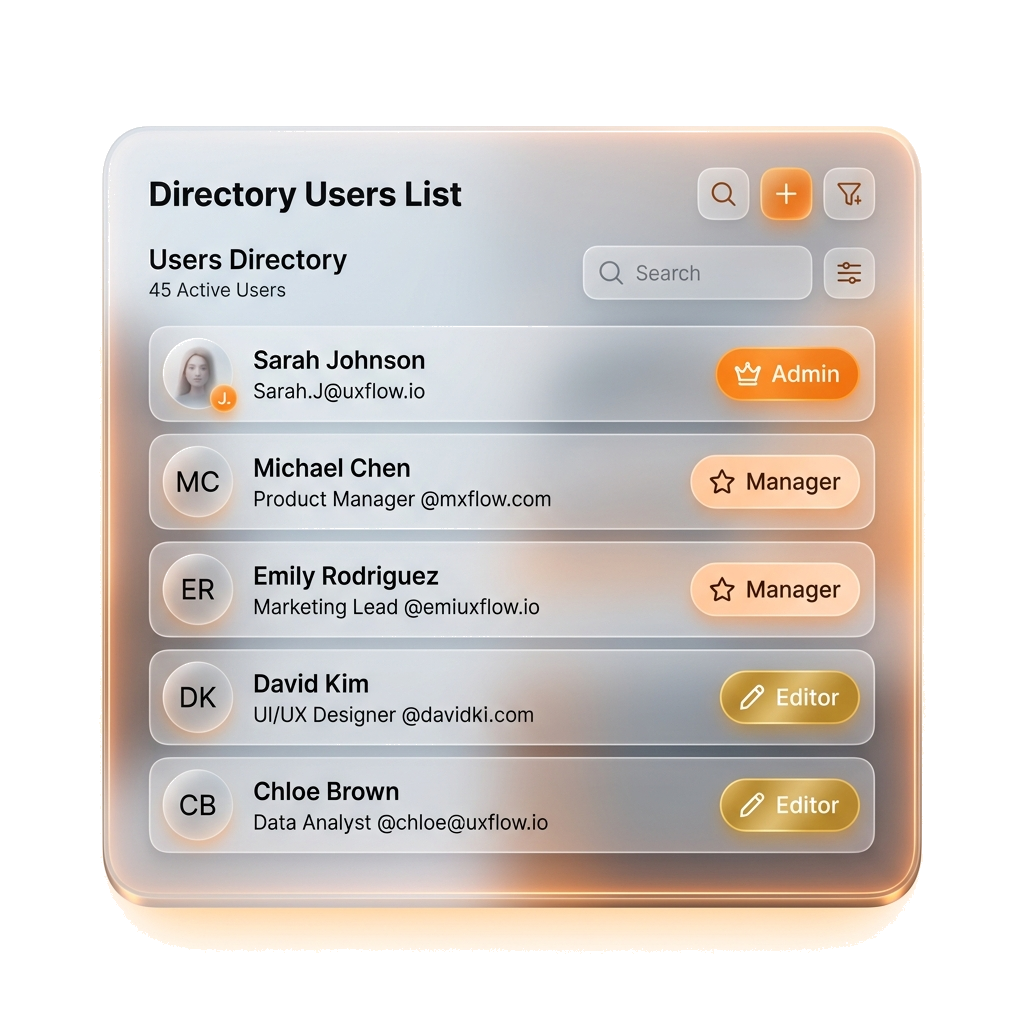
Directory users power signatures; platform users manage the dashboard. WiseSignly syncs from Azure AD or Google Directory, then lets you invite teammates with Admin, Manager, Editor, or Viewer roles.
Directory & Access Simulator
Centralized users, robust roles
Test syncing mailboxes from your active directory and explore platform administration roles.
Toggle connectors below to simulate directory auto-syncing in real-time.
Changes sync automatically upon connector toggle.
1,480
Automatic Delays
1. Connect Workspace
Link Microsoft 365 or Google Workspace with one click using secure OAuth.
2. Sync Active Directory
Profiles, positions, photos, and departments sync directly from directories.
3. Assign Permissions
Invite teammates to manage rules or banners, scoped by department filters.
4. Automate Safeguards
Security rules enforce that only designated admins change connector policies.
Built for enterprise delegation
Don't let IT do all the work. WiseSignly's role-based access control (RBAC) allows you to split ownership safely between designers, marketing pros, and subsidiaries.
Case 1
Multi-Brand Organizations
Sync multiple directories into a single dashboard. Scope managers to only edit layouts and signatures for their designated subsidiaries.
Case 2
Marketing Delegation
Grant your marketing team Editor roles so they can upload campaign banners and tweak templates without accessing IT connector setups.
Case 3
IT Infrastructure Controls
Enforce strict security locks. Only Master Admins can modify Microsoft Graph API connections, preventing accidental disruption of mail flow.
In the product
Visual user directories and logs
- Invite team members with Admin, Manager, Editor, or Viewer roles
- Scope manager actions to only control signatures for their specific departments
- Monitor real-time directory sync logs and activity events in the dashboard
Ready to manage your directory?
Sign up free or read the step-by-step setup guide.