

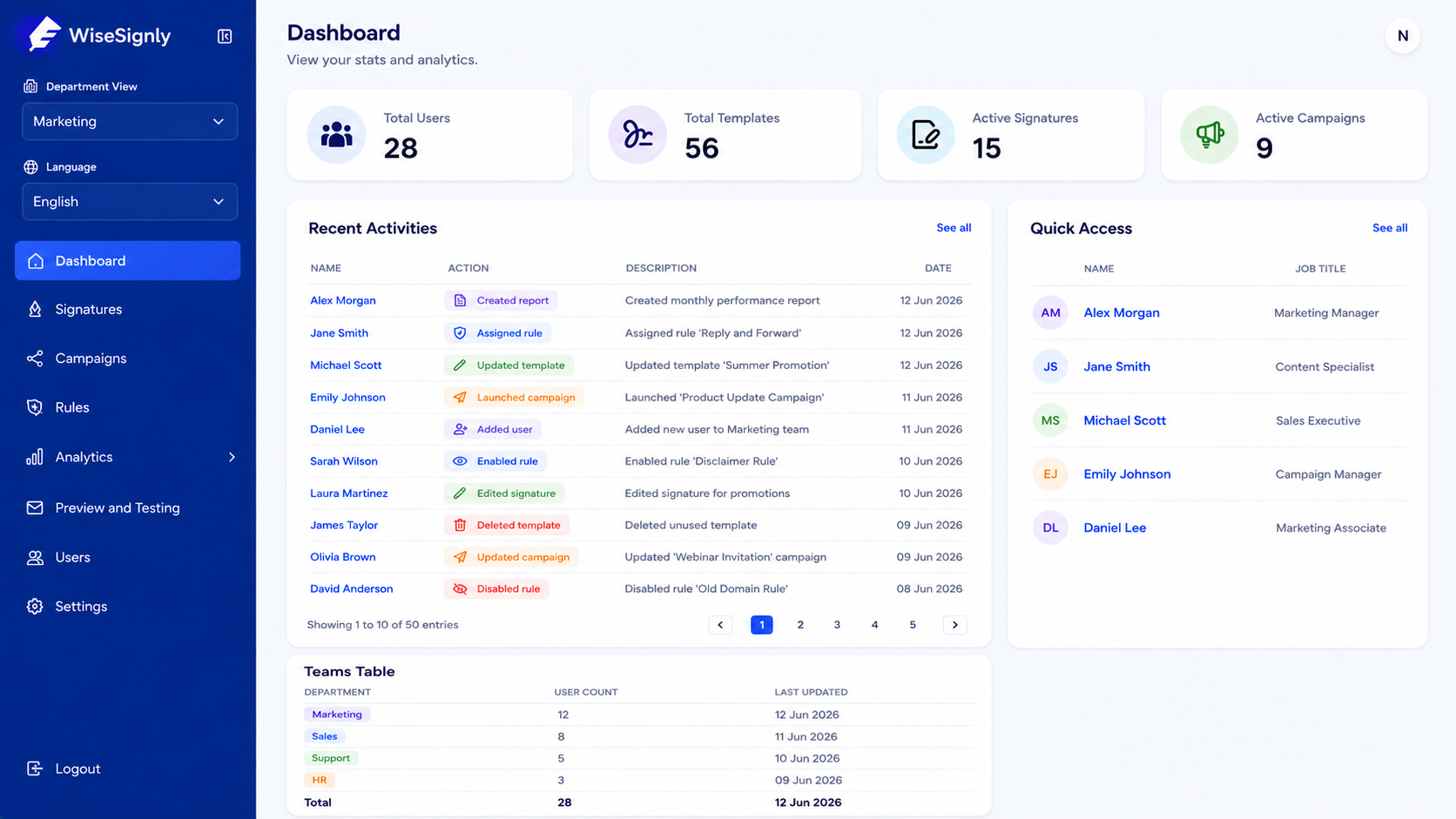
Product modules
A complete signature toolkit for your organization
Explore how WiseSignly helps teams govern brand consistency, automate layouts, and analyze email engagement.
Create pixel-perfect email templates
Design responsive signature templates that render consistently across all major email clients, populating dynamic employee details automatically from your directory data.
Administrators centrally govern brand assets and choose whether signature social media icons link to corporate profiles or individual employee handles (like a personal LinkedIn profile).
Dynamically generate and embed custom QR codes for digital contact cards (vCards).
Turn everyday emails into marketing channels
Launch promotional or informational banners with automated scheduling. Set start and end dates, and link banners to specific departments to run targeted campaigns on every sent email.
Automate signature delivery with smart priority rules
Create rule conditions based on job title, department, domain, or timezone. Our priority-based engine (Priority 1–100, evaluated first-to-last) resolves conflicts automatically so each sender always gets the correct layout.
Measure genuine campaign performance and adoption coverage
Track impressions and CTR with our built-in Smart Bot Filter that automatically excludes fake clicks from security scanners (e.g. Safelinks). View IP-based geolocation click maps normalized to country, state, and city levels.
How it works
From directory connect to live signatures
A simple, four-step rollout process designed for seamless organization-wide deployment.
Connect your directory
Securely link Microsoft 365 or Google Workspace in minutes via API.
Sync users and departments
Automatically pull users, groups, departments, and bilingual fields directly from your corporate directory.
Build and assign
Create signature templates, configure assignment rules, and simulate matches in the preview testing console.
Deploy and measure
Deploy signatures centrally with zero end-user action and track adoption & engagement.
Connect your directory
Securely link Microsoft 365 or Google Workspace in minutes via API.
Sync users and departments
Automatically pull users, groups, departments, and bilingual fields directly from your corporate directory.
Build and assign
Create signature templates, configure assignment rules, and simulate matches in the preview testing console.
Deploy and measure
Deploy signatures centrally with zero end-user action and track adoption & engagement.
Why teams choose WiseSignly
Central governance, zero-touch deploy
We connect directly to Azure AD and Google Directory to automate email signature updates centrally for all users.
Employees keep emailing as usual
Signatures deploy centrally to Microsoft 365 or Google Workspace, Server Side SMTP or Outlook add-in. No installs, no copy-paste, no end-user setup.
Smart Assignment Rules
Automate signature delivery with rules based on user directory attributes, recipient domains and timezone schedules.
Directory Attributes
Department, Job Title, AD Groups, and Sender Domains
Recipient Domains
Target specific client domains or internal mail flow
Message Context
Email Type (replies vs. forwards) and subject keywords
Date & Time Ranges
Calendar date ranges and timezone-aware schedules
Departments & Multi-Brand Federation
Scope signatures and campaigns by team with role-based access. Multi-tenant super-admin logins let you govern holding groups and separate sister brands from one dashboard.
Access Control & Scopes
Multi-Brand Context
English & Arabic Layouts
Full English and Arabic (RTL) support. Automatically fetch custom bilingual translations (Arabic names, departments, titles) directly from your database, rendering aligned Left-to-Right and Right-to-Left (RTL) signature layouts.
Left-to-Right
Right-to-Left
FAQ
Frequently asked questions
Quick answers about getting started, integrations, and billing.